
Screenshots
App details
- Updated
- Feb 21, 2014
- Language
- English
- Developer
- Jihosoft
- Category
- Mobile
SoftPas in:
This product is also available in the following languages:
About Jihosoft ISO Maker
Download Jihosoft ISO Maker – create ISO image, burn ISO, ISO creator, backup files, DVD burning software, data backup tool, ISO maker, backup utility, ISO file creation, disk image software
Overview
Jihosoft ISO Maker is a specialized utility software designed to streamline the creation, management, and burning of ISO disk images. Its primary purpose is to enable users to convert files and folders into standardized ISO format, offering a reliable method for data backup and long-term storage. This tool addresses common challenges associated with data preservation, particularly for users who need to archive software installations, multimedia content, or important documents. The application serves a diverse range of users, including individuals managing personal digital libraries, small business owners securing operational files, and IT professionals handling system backups.
Developed by Jihosoft, the software has been available since 2014, indicating a mature product with established functionality. Although the developer did not provide additional technical details about the company’s background or broader product portfolio, the app’s consistent presence in the utility category suggests reliability and user trust. Real-world use cases include backing up software installation discs, creating bootable images for system recovery, and transferring large data sets across devices. In the broader software ecosystem, Jihosoft ISO Maker fills a niche role as a dedicated tool for ISO-related tasks, offering a focused alternative to more complex, multi-functional disk management suites.
Key Features & Functionality
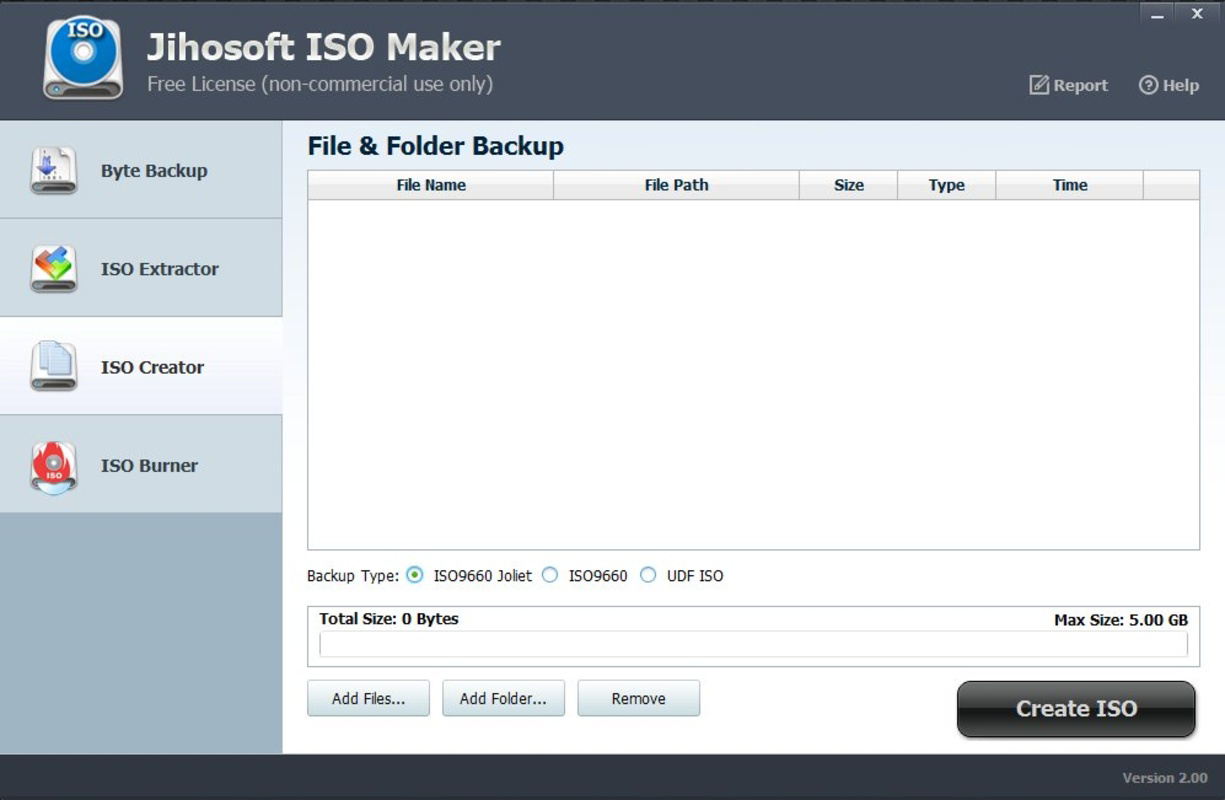
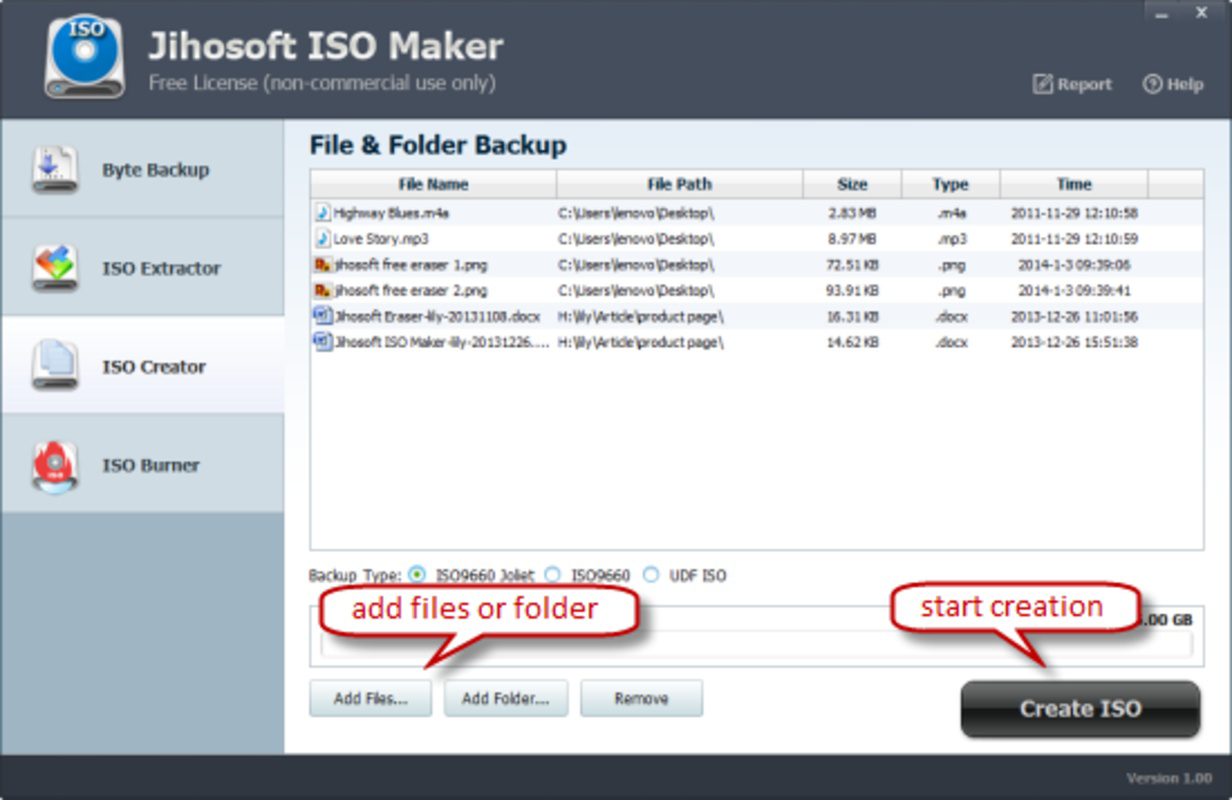
- ISO Image Creation: Users can select any folder or collection of files and convert them into a single ISO file. This process is optimized for speed and accuracy, preserving the original directory structure and file metadata.
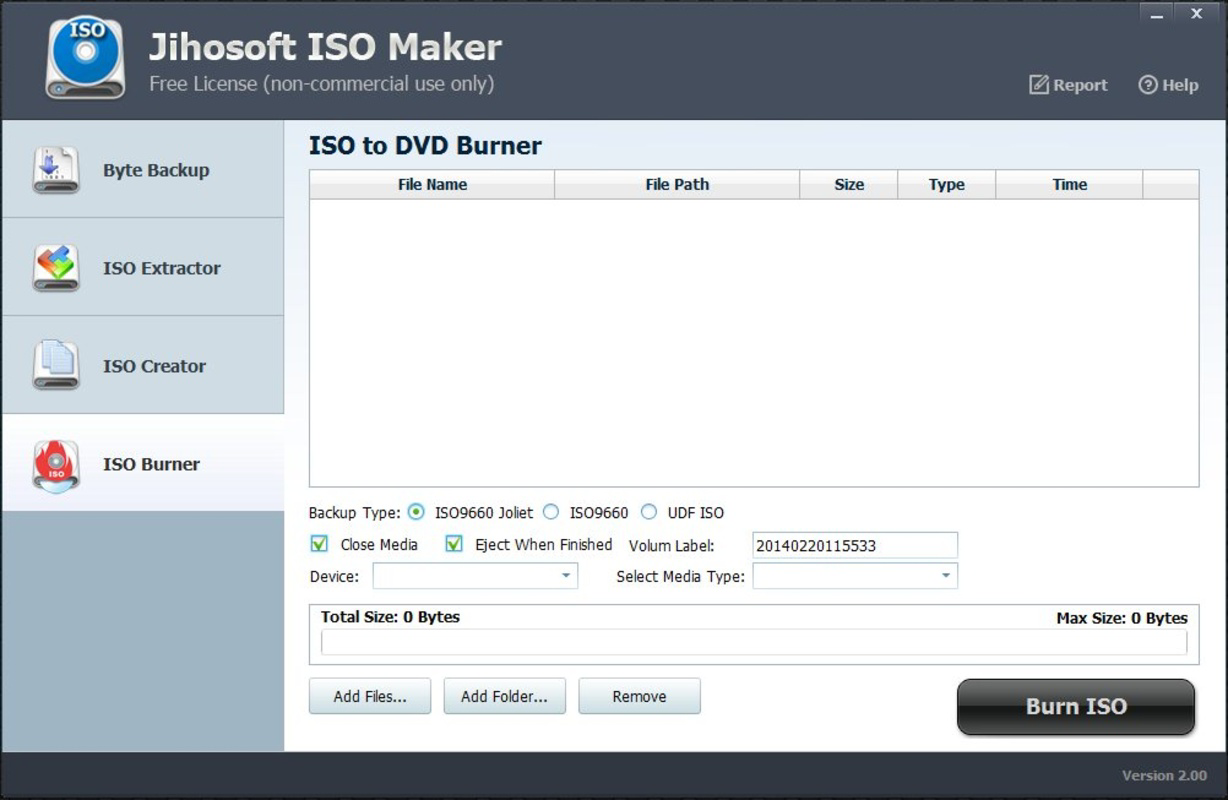
- Direct DVD Burning: The software supports burning created ISO images directly to physical media, including DVD-R, DVD-RW, DVD-R DL, DVD+R, DVD+RW, and HD-DVD formats.
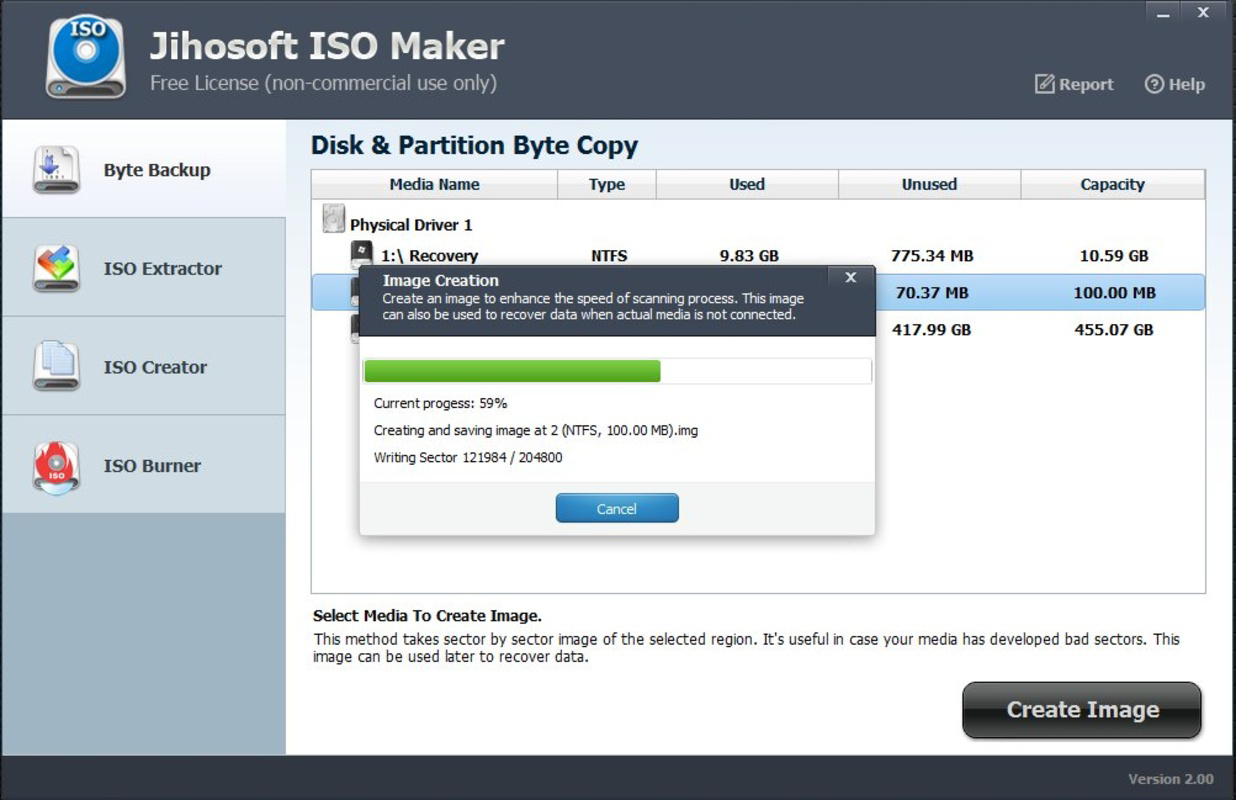
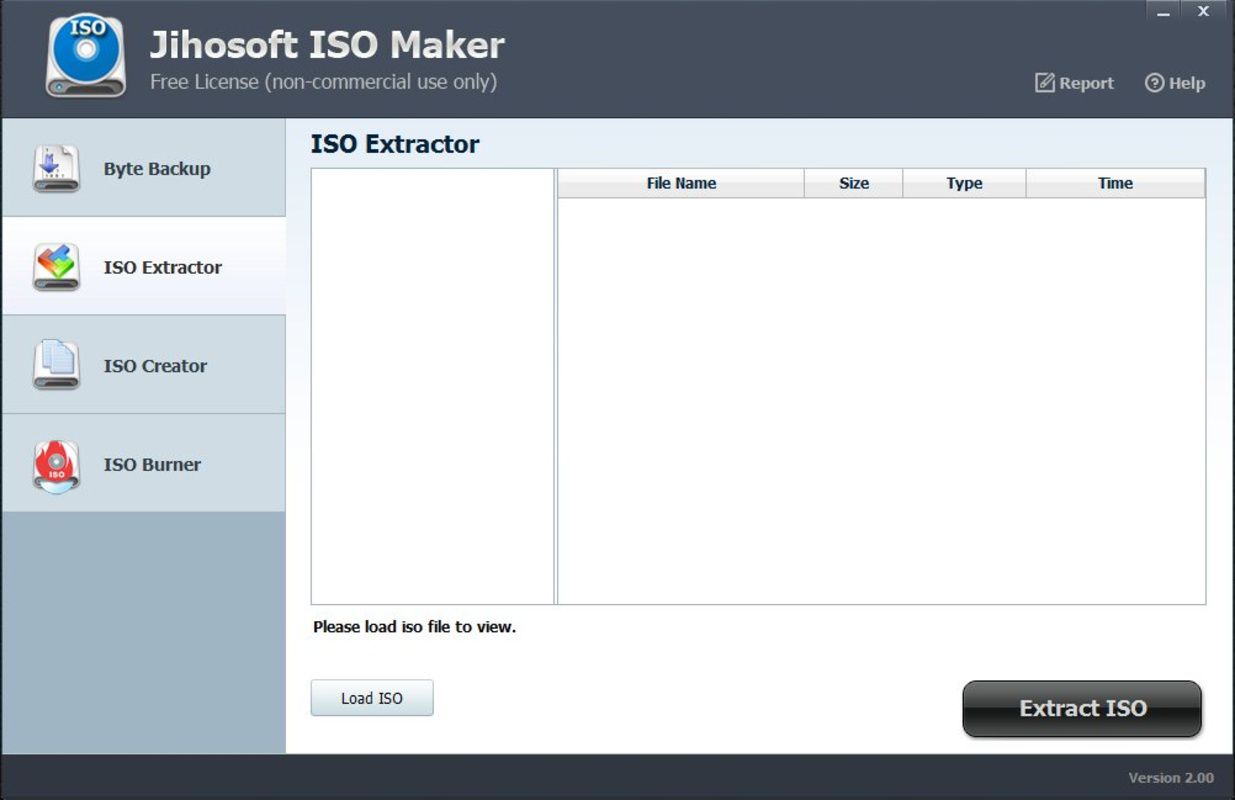
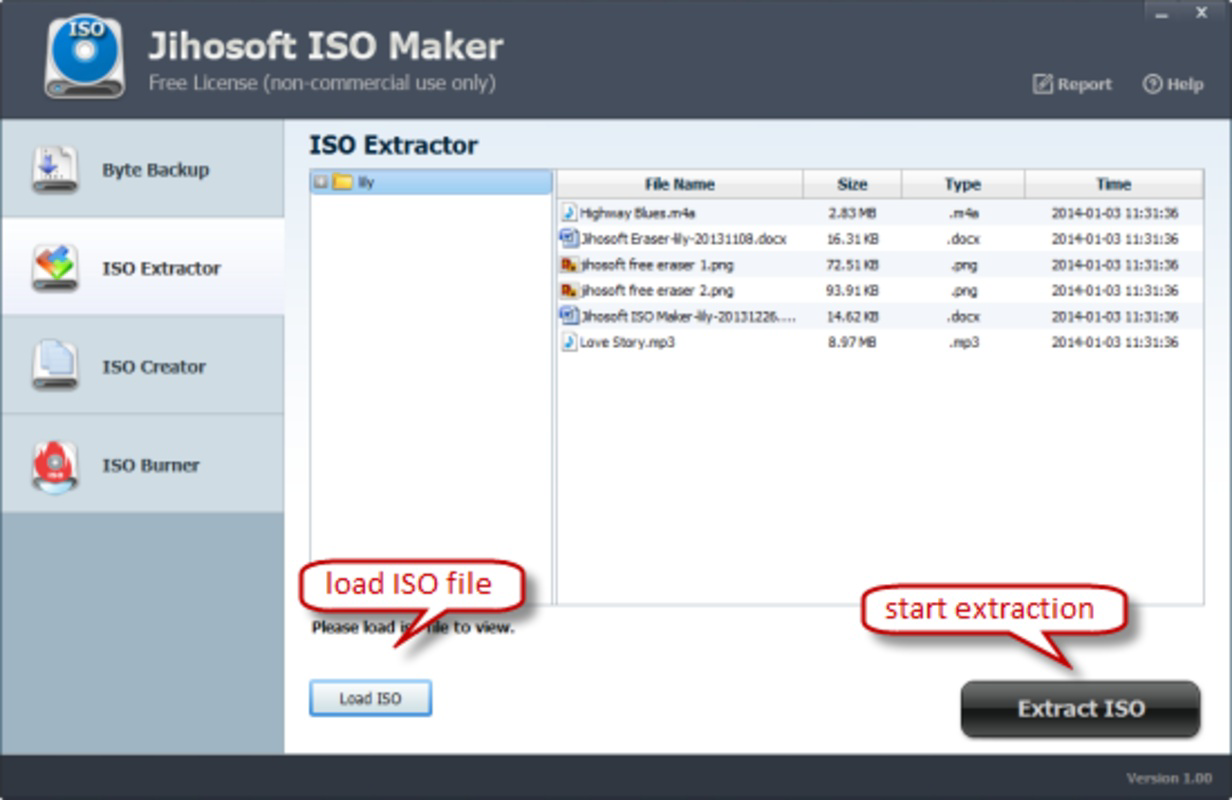
- Content Extraction: Jihosoft ISO Maker allows users to extract data from existing optical discs, enabling retrieval of files from CDs or DVDs without requiring additional tools.
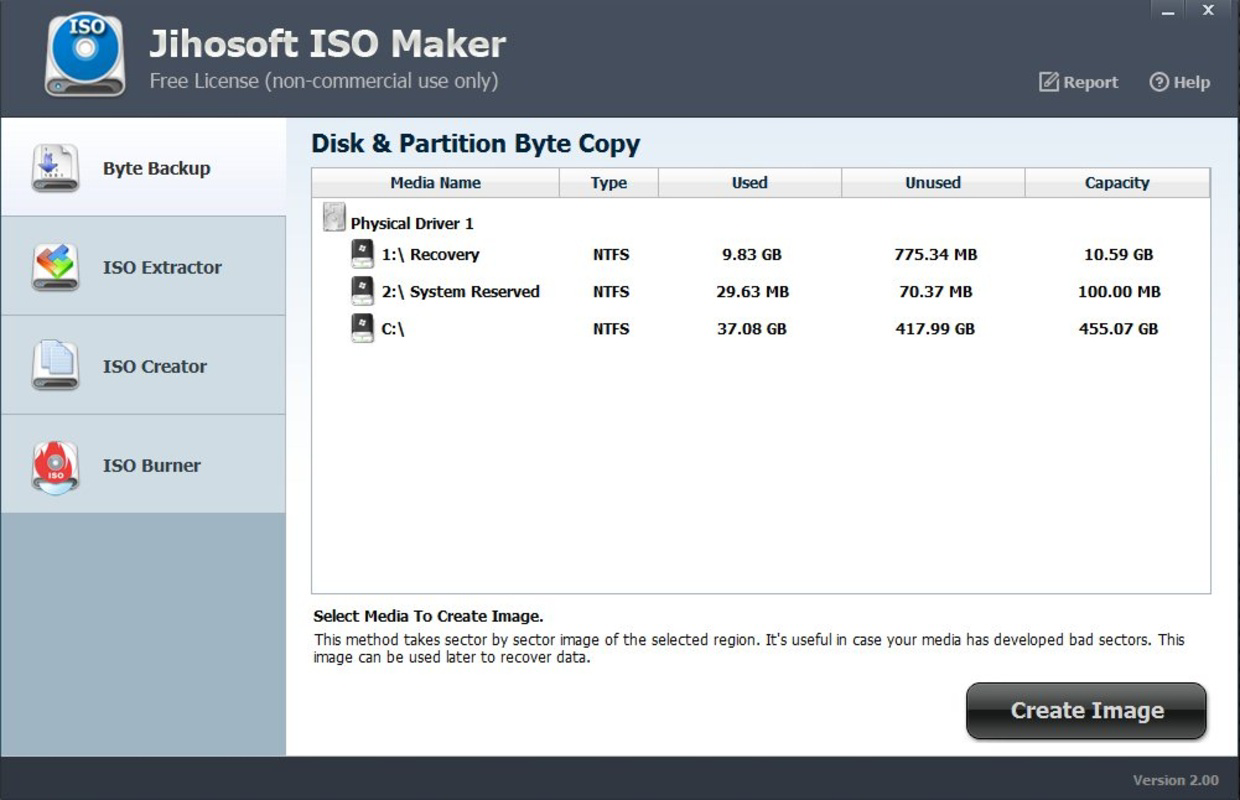
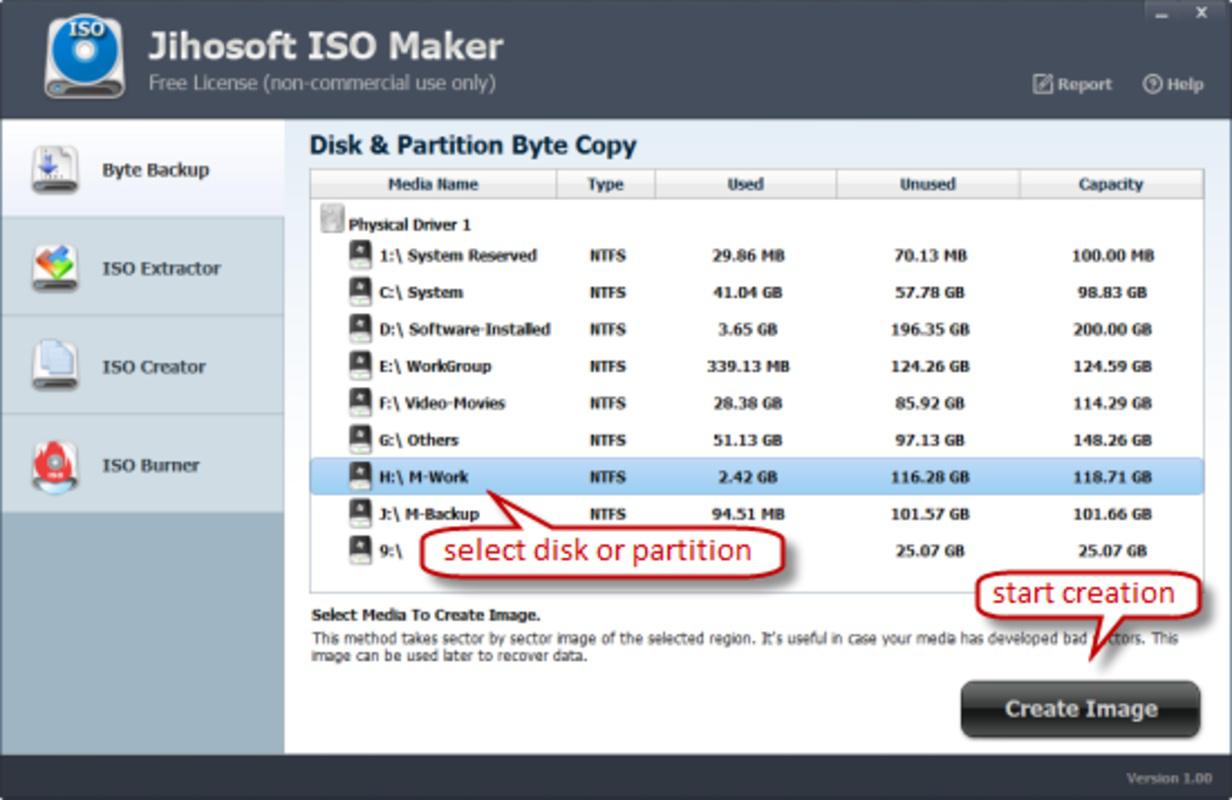
- Intuitive Task-Based Interface: The application is organized around core tasks—create, extract, burn—offering a clean layout that simplifies navigation and reduces user error.
- Flexible Format Compatibility: With support for multiple DVD formats, the tool adapts to various hardware and storage needs, ensuring broad usability across different systems and devices.
For example, a user preparing a backup of a legacy software suite can use the ISO creation feature to package all installation files into one archive. Later, this ISO can be burned to a DVD for physical storage or shared digitally. Similarly, a technician recovering data from a damaged CD can use the extraction function to retrieve critical files without needing specialized hardware.
Interface, UX & Performance
The user interface of Jihosoft ISO Maker is designed with simplicity and clarity in mind. It features a minimalistic layout with clearly labeled buttons and logical task grouping, reducing the learning curve for new users. Navigation between creation, extraction, and burning functions is seamless, supported by a consistent visual hierarchy and responsive controls.
Although the developer did not list formal performance metrics, the software’s ability to process large file sets efficiently suggests optimized internal handling. Users can expect stable operation during ISO generation and burning tasks, with minimal risk of crashes or data corruption. The application maintains responsiveness across different Windows device categories, including desktops and laptops with standard hardware configurations.
Performance is further enhanced by the software’s lightweight footprint—only 4.3 MB in size—indicating efficient resource usage. This small file size contributes to quick installation and low system impact, making it suitable for older or low-spec systems. While real-world benchmarks were not provided, the app’s long-standing availability and consistent functionality imply a reliable user experience.
Platform Compatibility & Technical Requirements
Jihosoft ISO Maker is designed exclusively for the Windows operating system. The current version is 1.0.0, released on February 21, 2014. The application requires a Windows environment to function, though specific OS version requirements were not listed.
The file size is 4.3 MB, which is compact for a utility of this nature. This small footprint suggests the software is lightweight and does not demand significant system resources. However, compatibility with modern Windows versions (such as Windows 10 or 11) was not explicitly confirmed by the developer. Users should verify system compatibility before installation.
Pros and Cons
Pros
- Simple, intuitive interface suitable for users of all experience levels
- Efficient ISO creation and direct burning to multiple DVD formats
- Supports content extraction from existing optical discs
- Compact file size (4.3 MB) ensures minimal system impact
- Offers a complete workflow: create, extract, burn—all within one tool
Cons
- Only available for Windows, limiting cross-platform use
- Release date is from 2014; no recent updates or modern UI enhancements reported
- Developer did not specify minimum OS requirements or compatibility details
- Limited to desktop use; no mobile or cloud-based functionality
- Price point of $29.95 may be considered high for a single-purpose tool
FAQ
Is Jihosoft ISO Maker safe to download and install?
The software is distributed by the official developer, Jihosoft. While no third-party security reports were provided, users should download from trusted sources to avoid bundled software or malware.
Can I use Jihosoft ISO Maker on Windows 10 or 11?
Although the app was released in 2014, it may function on newer Windows versions. However, the developer did not confirm compatibility with Windows 10 or 11, so users should test on their system before relying on it for critical tasks.
Does Jihosoft ISO Maker support Mac or Linux?
No, the application is only available for Windows. There is no official version for macOS or Linux systems.
How do I create an ISO file using this tool?
Launch the application, select the “Create” function, choose your desired files or folders, and follow the prompts to generate an ISO image. The process is guided and requires minimal user input.
Can I burn ISO files to USB drives?
The software supports burning ISO images to DVD media, including DVD-R, DVD-RW, and HD-DVD formats. There is no documented support for USB drives or other flash storage devices.
Final Thoughts
Jihosoft ISO Maker remains a functional utility for users who need to create, manage, and burn ISO images on Windows. Its straightforward interface, combined with core features like ISO creation, content extraction, and DVD burning, makes it a practical choice for data backup and archiving. While the software is outdated in terms of release date and lacks modern enhancements, its lightweight design and focused functionality still offer value.
It is particularly beneficial for individuals managing legacy software, educators preserving course materials, or professionals requiring reliable disk image handling. Despite the lack of recent updates and limited platform support, the tool delivers consistent results for its intended purpose. For those seeking a dedicated ISO creator on Windows, Jihosoft ISO Maker provides a secure and efficient solution.
Download Jihosoft ISO Maker now
Guides & Tutorials
How to install Jihosoft ISO Maker
- Click the Download button above.
- Once redirected, accept the terms and click Install.
- Wait for the Jihosoft ISO Maker download to finish on your device.
How to use Jihosoft ISO Maker
This software is primarily used for its core features described above. Open the app after installation to explore its capabilities.
User Reviews
No reviews yet. Be the first to share your experience.
You may also like
more
Que no te pillen¡
About !Que no te pillen¡Reviewed by Jason A. BilbreyShow MoreShow Less

3D Combat Zone
About 3D Combat ZoneOriginally released in 1983, 3D Combat Zone immerses players...

666: El día del portal
About 666: El día del portalOn June 6, 2006, Agent P. Stone uncovers a sinister...

80 in 1 Best Flash games
About 80 in 1 Best Flash games 80 in 1 Best Flash games is a collection of 80 fl...

ABYSS SEEKERーーWhat Do You See Deep in The Abyss
About ABYSS SEEKERーーWhat Do You See Deep in The AbyssIn ABYSS SEEKER, players...

ACA NEOGEO THE KING OF FIGHTERS 2002 for Windows
About ACA NEOGEO THE KING OF FIGHTERS 2002 for WindowsTHE KING OF FIGHTERS 2002,...